
Download Font Generator – Creative Text Styler, Emoji Text Generator, Social Media Tool
Overview
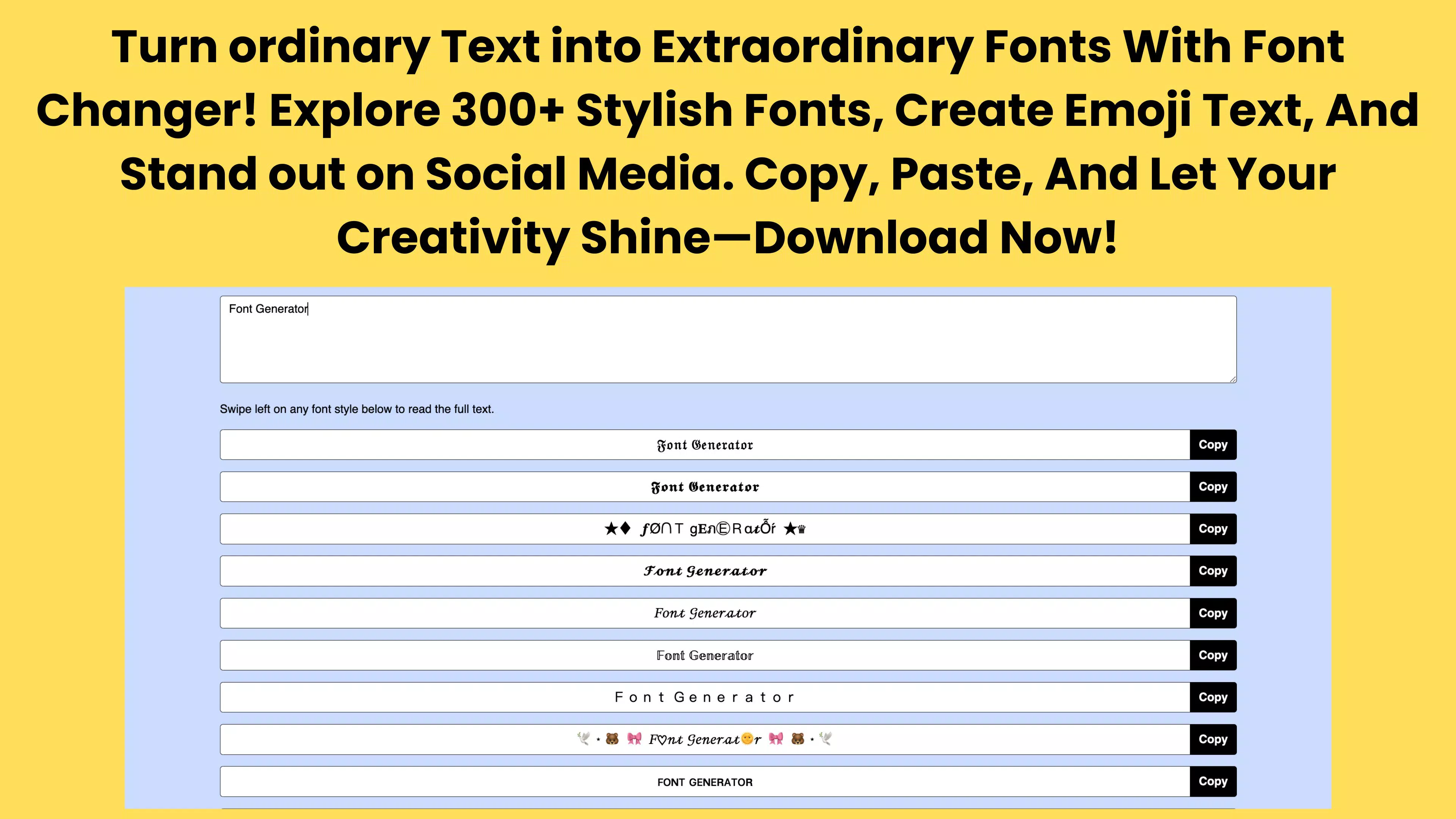
Font Generator is a mobile application designed to empower users with creative text styling capabilities, transforming plain text into visually engaging expressions. The app serves as a digital tool for enhancing communication across social media platforms, messaging apps, and personal content creation. With a focus on aesthetic customization, it enables users to apply over 300 unique fonts to their text, making it ideal for individuals who seek to stand out in digital spaces. The app is particularly useful for content creators, social media users, gamers, and anyone interested in personalizing their digital identity through typography.
It addresses the common need for visually appealing text in environments where presentation matters—such as Instagram captions, Twitter posts, Snapchat stories, and WhatsApp messages. The inclusion of an Emoji Text Generator feature adds a playful dimension, allowing users to infuse emojis into their text for expressive and dynamic communication. While the developer did not provide additional technical details, the app’s purpose is clear: to offer a simple, accessible way to elevate text-based content without requiring design expertise.
Given its niche focus on text customization, Font Generator fits into the broader mobile utility ecosystem as a lightweight, purpose-driven app. It supports self-expression and digital creativity, making it a valuable asset for users who prioritize visual impact in their online presence. The app’s release on January 27, 2025, marks its entry into a growing market of creative tools, offering a streamlined experience for users seeking instant stylistic upgrades to their messages.
Key Features & Functionality
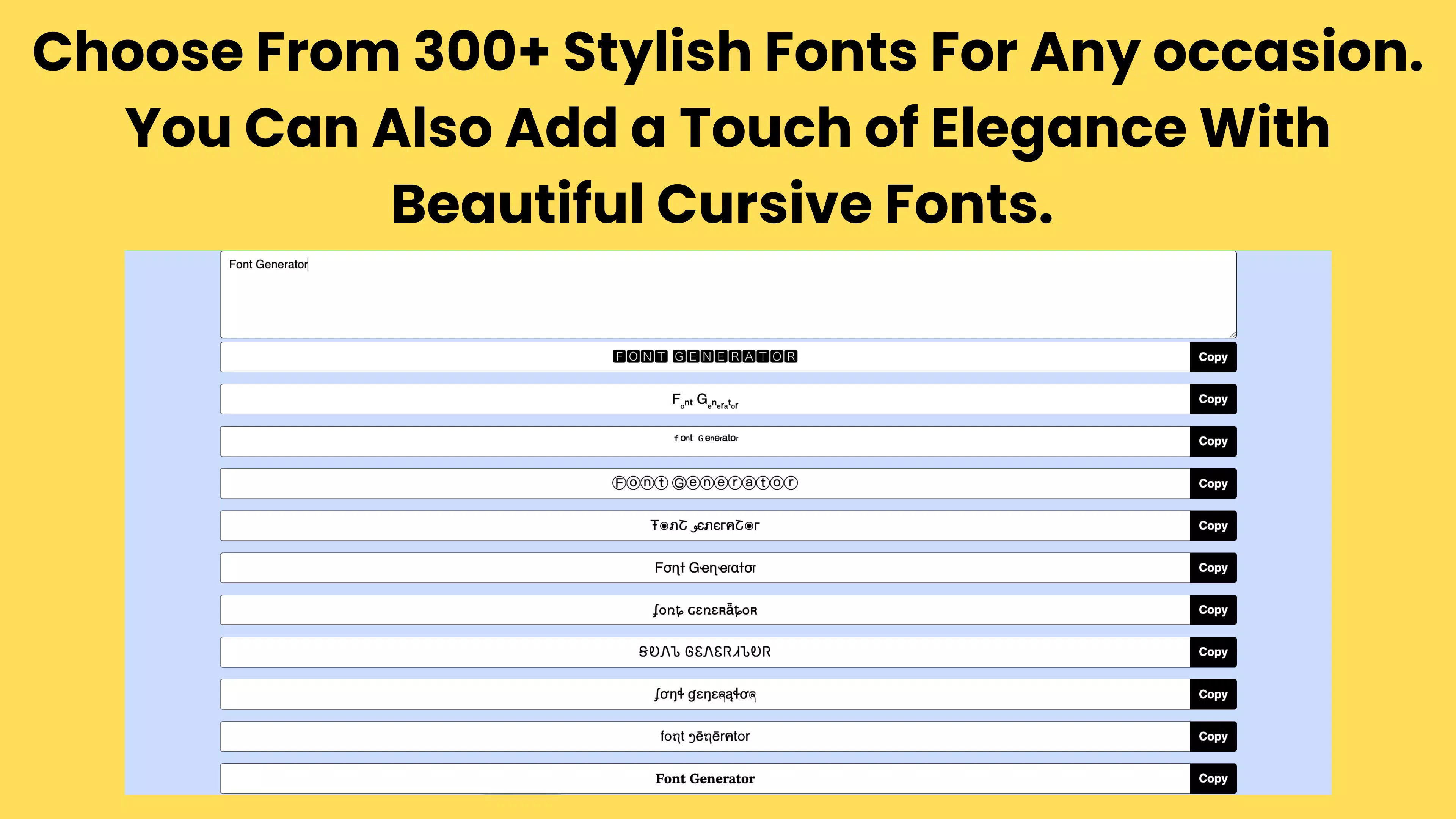
- 300+ Unique Fonts: The app provides access to a diverse library of over 300 fonts, spanning modern, retro, script, bold, and decorative styles. Users can browse through the collection and instantly apply a chosen font to their text, enabling personalized expression across platforms.
- User-Friendly Interface: Designed for accessibility, the interface allows users to input text, scroll through font options, and tap to copy the styled output. This intuitive flow ensures that even non-technical users can generate attractive text with minimal effort.
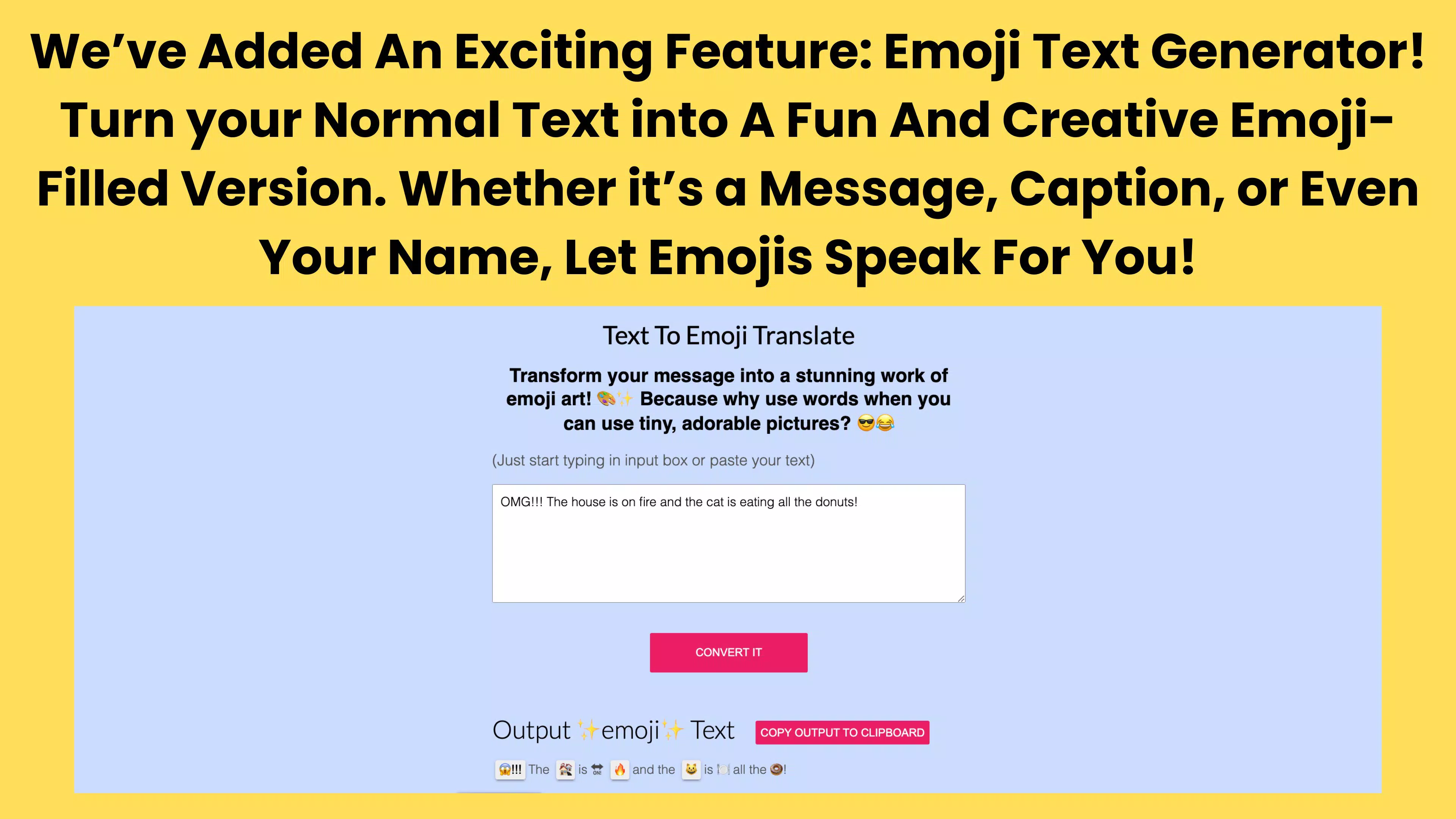
- Emoji Text Generator: This feature transforms standard text into emoji-enhanced messages, allowing users to express emotions and add visual flair. For example, a simple “Hey!” can become “Hey! ??” with one tap, enhancing tone and engagement in messages.
- Perfect for Social Media: The app is optimized for content creation on platforms like Instagram, TikTok, and Facebook. Users can generate stylized captions and posts that capture attention and reflect their unique voice.
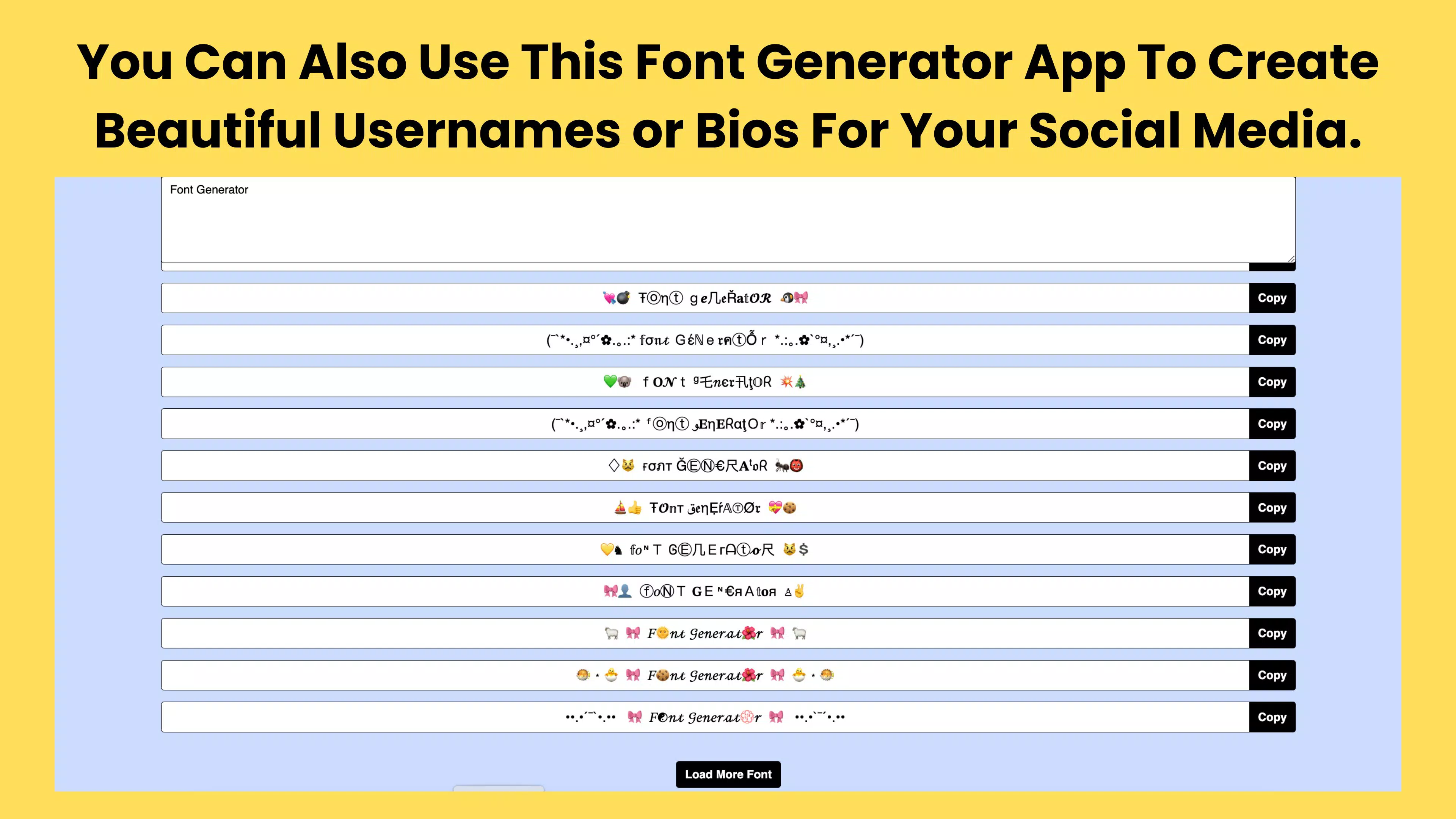
- Wide Application Range: From gaming tag names to creative captions, the app supports multiple use cases. Gamers can use it to stylize usernames, while social media users can craft eye-catching content for their audiences.
Each feature is built around the core goal of simplifying creative expression. The ability to instantly apply fonts and emoji combinations allows users to experiment with tone and style in real time, making communication more dynamic and engaging.
Interface, UX & Performance
The user interface of Font Generator is clean and minimalistic, focusing on functionality without visual clutter. Navigation is straightforward: users enter their text, browse through a scrollable font gallery, select a style, and copy the result. The layout is optimized for touch interaction, with responsive buttons and clear visual feedback upon selection.
Although the developer did not list formal performance metrics, the app’s design suggests smooth operation across a range of device categories. The interface adapts well to different screen sizes, ensuring consistent usability on both smartphones and tablets. Responsiveness is evident in the instant rendering of styled text, with no noticeable lag during font selection or copying.
Stability appears to be a priority, as the app functions without requiring complex setup or background processes. The lack of reported crashes or errors in the provided information indicates a reliable experience. However, specific requirements for memory, storage, or device compatibility were not disclosed, so users should verify compatibility with their devices before installation.
Platform Compatibility & Technical Requirements
Font Generator is available on Android and iOS platforms, supporting a wide range of mobile devices. The app’s file size is 15.2 MB, making it a lightweight download suitable for devices with limited storage. The software version is 1.0.0, released on January 27, 2025.
While the developer did not specify minimum OS requirements, the app’s lightweight nature suggests compatibility with recent versions of both Android and iOS. Users should ensure their devices meet standard system requirements for modern mobile applications. Compatibility information was not fully disclosed, so it is recommended to check device specifications before downloading.
Pros and Cons
- Over 300 unique fonts for diverse styling options
- Simple, intuitive interface suitable for all users
- Fun Emoji Text Generator feature for expressive communication
- Optimized for social media and messaging platforms
- Lightweight size (15.2 MB) for fast installation
- Specific system requirements were not listed
- Compatibility with older devices is not confirmed
- No in-app purchases or subscription details provided
- Developer did not disclose update frequency
- Performance on low-end devices was not tested or reported
FAQ
Is Font Generator safe to download and use?
Yes, the app is designed as a utility tool for text customization. It does not require sensitive permissions and operates within standard mobile app security protocols.
Can I use Font Generator on both Android and iOS?
Yes, the app is available on both Android and iOS platforms, allowing users to access its features across different mobile ecosystems.
Does Font Generator require an internet connection?
Based on the provided information, the app appears to function offline. All font rendering and text generation occur locally on the device.
How often is Font Generator updated?
The developer did not specify the update frequency. Users should check their app store for the latest version to ensure they have the most recent features and security patches.
Can I export styled text to other apps?
Yes, the app allows users to copy styled text directly to the clipboard, enabling seamless pasting into messaging apps, social media platforms, and other tools.
Final Thoughts
Font Generator stands out as a focused, creative utility that delivers on its promise of stylish text transformation. With over 300 fonts and an engaging emoji integration, it offers a simple yet powerful way to enhance digital communication. Its intuitive design makes it accessible to users of all experience levels, while its lightweight size ensures quick installation and minimal storage use.
Whether you're a content creator aiming to boost engagement, a gamer personalizing your tag, or someone who enjoys playful messaging, this app provides real value. It fills a specific but important gap in the mobile app landscape—creative text expression—without unnecessary complexity.
Download Font Generator now


